Spotlight › PiXEL
PiXEL, an image viewer and editor for a 4.77 MHz PC
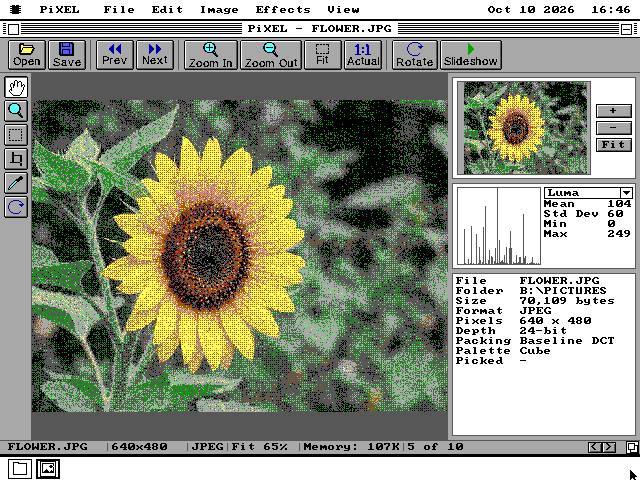
PiXEL opens the picture formats of today and of the 1980s -- JPEG and PNG beside PCX and MacPaint -- on an IBM PC from 1981. It fits each picture to whatever screen the machine has, shows it full screen in up to 256 colours, and can crop, turn, adjust and save it.
- formats it reads
- 12
- colours full screen
- 256
- size
- 112KB
The problem it solves
Modern pictures, on a machine that predates every format but two of them.
A picture file is a list of colours, one for each dot, packed to take less space. How it is packed is the format. MacPaint and PCX date from 1984 and 1985 and are simple: runs of the same colour are written once with a count. GIF, from 1987, finds repeated patterns as it goes. PNG and JPEG are from the 1990s and do far more arithmetic. A JPEG stores a photograph as waves of brightness and colour, and turning those back into dots takes millions of multiplications.
The IBM PC's 8088 runs at 4.77 MHz, and one multiplication takes it more than a hundred clock cycles. Its screens are also very different from a picture's colours. A JPEG holds up to 16.7 million colours. A VGA card shows 16 on the desktop and 256 in a lower-resolution mode, and a CGA or Hercules card shows two -- black and white, or black and green.
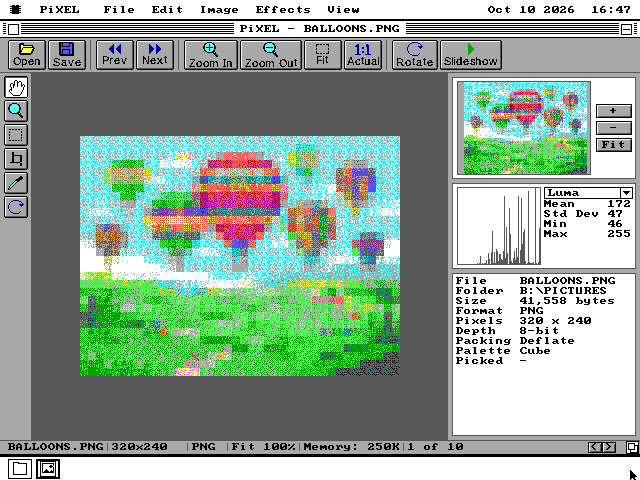
PiXEL reads the picture into one copy with at most 256 colours. A picture that already has 256 or fewer keeps its own. One with more is matched to a fixed set of 256: six levels of red, seven of green, six of blue, and four greys. That copy is then dithered for the screen, which means placing dots of the colours the screen has in a fine pattern so that, from a little way back, they read as the colours it does not have.
What it does
Opens, shows, edits and saves.
Twelve formats
JPEG, including progressive JPEG, PNG, GIF, BMP, PCX, TIFF, Targa, PNM, Windows icons, Amiga IFF, MacPaint and os8088's own PIX. An animated GIF plays in the window. On an 8088 a large JPEG opens at the size the window can show, and zooming in reads it again in more detail.
Every screen
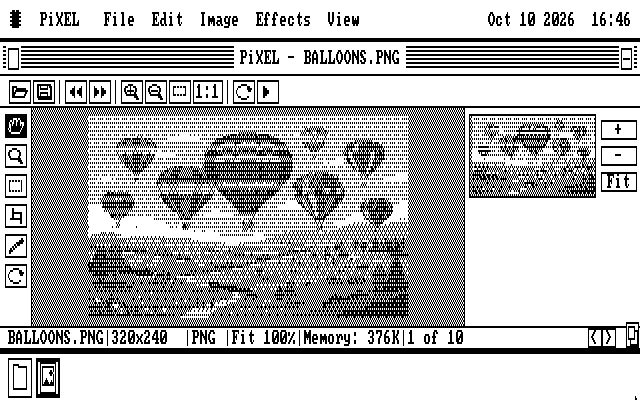
The window has two layouts: a full one for VGA, EGA and Hercules, and a compact one for CGA's 200 lines with one panel at a time. On a CGA every picture is drawn at half height, because a CGA dot is more than twice as tall as it is wide.
Full screen
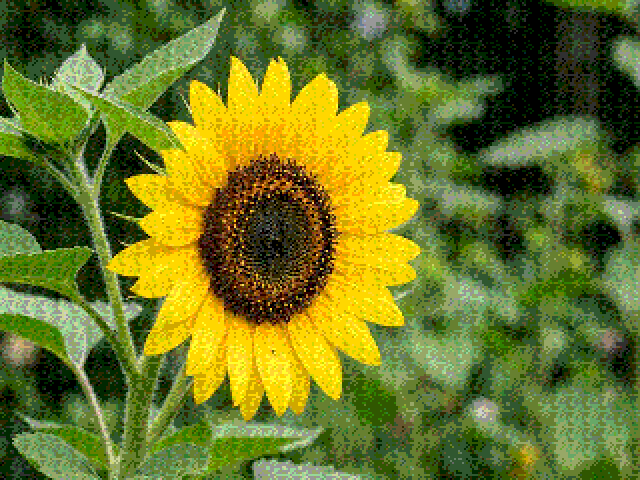
Press F. On a VGA the picture fills a 320 by 240 screen in its own 256 colours, or 640 by 480 in sixteen colours picked for that picture. A CGA gets a 160 by 100 mode with sixteen colours, and a Hercules card its whole 720 by 348 screen. M changes the mode and Esc comes back.
Editing
Crop, turn and flip, resize, auto levels, brightness and contrast, greyscale, invert, sepia, posterize, threshold and gamma. Blur, sharpen, edge detect, emboss and pixelate change the dots themselves. Undo and Redo take back the last change.
Saving
Save As writes PNG, GIF, 8-bit or 24-bit BMP, PCX or PIX, so a JPEG can be saved in a form older programs read.
A folder at a time
Prev and Next walk the pictures in the folder the current one came from, and Slideshow shows them in turn. The status bar says which one of how many you are on.
See it running
Full screen, an effect, and the black-and-white layout.
On a slow machine
How long a picture takes to open on a 4.77 MHz IBM PC, measured.
The picture is decoded in the background, and the window shows the rows as they arrive, so it starts to appear long before it is finished and the desktop stays usable. These times include reading the file from the floppy disk:
| Picture | First rows | Whole picture |
|---|---|---|
| 320 by 240 PNG, 256 colours | 4.3 s | 15 s |
| 320 by 240 GIF, 256 colours | 3.1 s | 25 s |
| 320 by 240 PNG, full colour | 2.3 s | 40 s |
| 640 by 480 JPEG, opened at an eighth | 4.6 s | 24 s |
| 640 by 480 JPEG, opened at half size | 2.8 s | 46 s |
| 640 by 480 JPEG, full size | 6.2 s | 116 s |
The figures were measured on an emulated IBM PC with a CGA card that keeps the original's timing to the cycle. Some of every JPEG's time is spent on decoding steps that cost the same at every size, which is why an eighth of the picture still takes 24 seconds. On an 8088, PiXEL opens a 640 by 480 JPEG at half size by itself, since that is all the window shows at once, and reads it again at full size only when you zoom in. On a 386 the whole gallery opens in seconds.
What it does not do
Left out on purpose, or out of reach.
It is not a paint program. Its tools pan, zoom, select, crop, pick a colour and turn the picture; drawing on a picture is what Paint is for. It keeps at most 256 colours, so a full-colour picture saved again has lost some of its colours. It does not write JPEG.
A GIF or a BMP double-clicked on the desktop still opens in Paint, which had those first. PiXEL opens them with File, Open.
It is not on the disks for the smallest os8088 machine, the 128KB one: a picture alone would need more memory than that machine has free. It is in The Wire, the library a networked os8088 machine installs programs from, with its sample pictures. At 112KB it is installed with Add to Disk, and it needs the system disk from v1.0.20261012 or later: an older Wire lists PiXEL and refuses to install it.
Running it
On the 1.44MB and 1.2MB software disks, and on a disk of its own with a gallery.
-
PiXEL is on the 1.44MB and 1.2MB software disks, the everything disks, the live USB image and CD, and the 360KB office disk. It is not on the 720KB or 360KB software disks, which are full.
-
For the sample pictures, take pixel.img from the release zip, in the size your machine uses. It carries PiXEL and a gallery of ten pictures made for this project, one in each format the decoders read; the 720KB disk carries nine and the 360KB disk five.
-
Boot os8088 with the disk in the second drive, double-click Disk B, then PICTURES, then a JPEG, PNG or PCX file. PiXEL opens with it. Or double-click PIXEL.O88 and use Open.
-
F or Alt+Enter goes full screen. View, Keyboard Help (F1) lists every key.