Spotlight › Frotz
Play text adventures on os8088
Frotz brings Zork and other classic text adventures to os8088. Read the scene, type what you want to do, and find out what happens next.
- stories included
- 15
- years covered
- 1977 to 2007
- controls
- just the keyboard
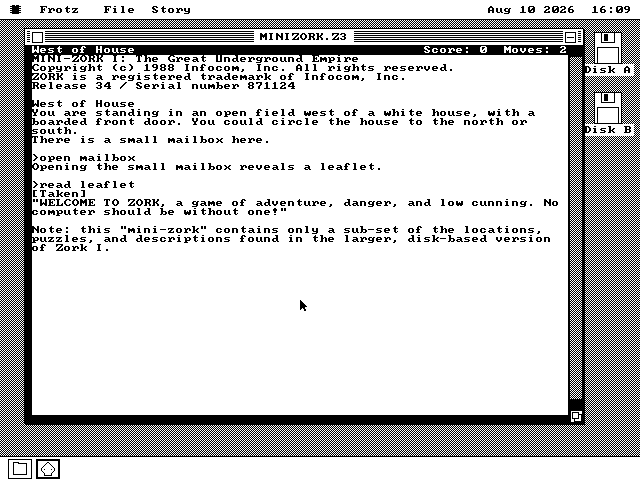
Meet Frotz
A small program for games made out of words.
A game made out of words
A text adventure describes where you are, then asks what you want to do. You might type
open mailbox, go north or take lamp. The game tells you
what happened and waits for your next move.
Infocom made the best-known examples in the 1980s, including Zork, The Hitchhiker's Guide to the Galaxy and Planetfall. New text adventures are still being written today.
How those old games still run
Infocom saved each game as a portable story file. A small player program translated that file for whichever computer you owned. The story stayed the same; only the player changed.
Frotz is that player for os8088. Open a compatible story file and it becomes an ordinary window on the desktop, complete with scrolling text, saved games and simple sound.
About the name: This Frotz was written from scratch for os8088. It is separate from the better-known Frotz program, but shares the traditional name -- taken from a spell in the Infocom game Enchanter.
Watch it run
See a story opened, played and saved on os8088.
Nothing is sent to YouTube until you press play. The still above is served from this site.
The games
From the adventure that started it all to a modern story told in changing colours.
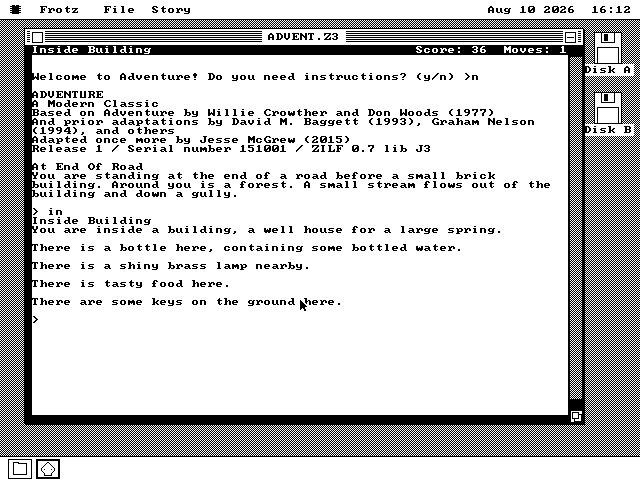
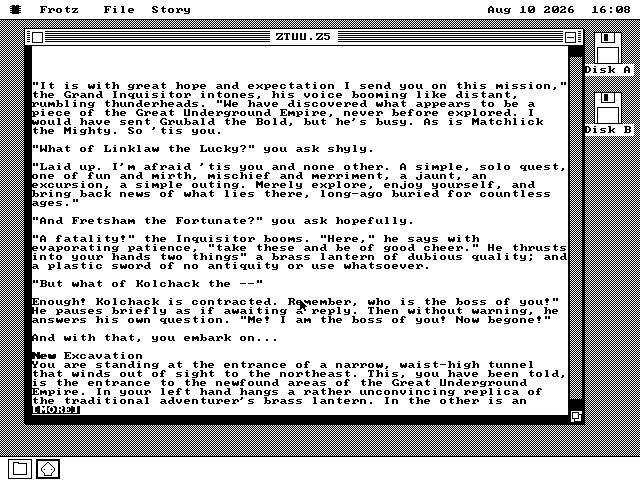
[MORE] prompt pauses a long passage until you press a key.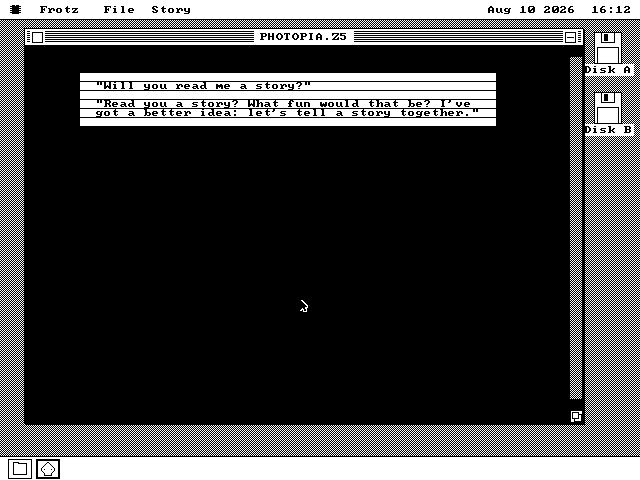
How to play
Read the scene, type a command, and see what changes.
The story waits for you
Each turn starts with a description and a prompt. Type what you want to try --
open mailbox, for example -- and press Enter. The story prints the result,
then waits for the next command.
In the older games, the dark strip at the top names the room and keeps the score and
move count. When a passage is too long for the window, [MORE] pauses it until
you press a key.
Use verbs, objects and directions
look repeats the room description. inventory lists what you are
carrying. Move with north, south, east and
west, or shorten them to n, s, e and
w. Actions can be as direct as take lamp or
unlock door with key.
These games know a large but fixed set of words. If one does not understand a sentence,
try a shorter version, use a different verb, or examine the things the room
mentions.
You keep the map
Rooms join in compass directions, doors may be locked, and useful objects can be rooms away from the puzzle they solve. The game remembers where everything is; keeping track of the route is up to you.
Most of these stories reward poking at details. Read the leaflet, open the trapdoor, turn the machine on, ask a character about something. The next step is often hidden in a line that first looked like scenery.
Save before trying anything foolish
File › Save Game... records the current turn; File › Restore Game... brings it back. You can even move a saved game between os8088 and a modern text-adventure player on a laptop.
The scroll bar goes back through text that has left the window. Story › Transcript keeps a text copy of the playthrough.
A few limits
The all-text games are the best fit. A few later features are simpler here.
- No timed challenges. If a game has scenes that expect a response within a few seconds, it is told to use its untimed path instead.
- Sound stays simple. Beeps and tones work. Recorded effects are replaced with the nearest tone.
- Some pictures will be missing. Games made mostly from text are the safest choice. Frotz can show its own picture files, but not the picture files that shipped with Infocom's illustrated games.
- Very large stories may not fit. If there is not enough memory, Frotz says so before the game starts. Every story on the included disk fits the recommended machines.
Try it yourself
Build the story disk, put it in drive B, and choose a game.
-
Build the story disk from the os8088 source. Frotz and its games do not fit on the regular software disk, so they get a disk of their own. This command downloads the stories their authors have shared for free and puts everything together:
make zdisk -
Boot os8088 with the story disk as the second floppy, then double-click Disk B on the desktop.
-
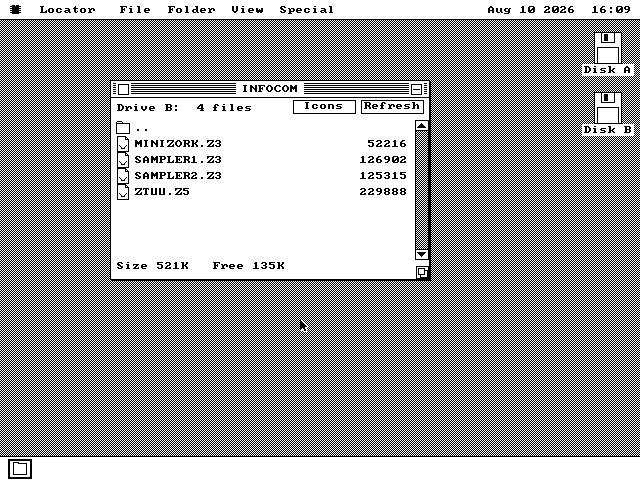
Choose a game. Double-click a story in the Infocom, Classic or Modern folder, or open Frotz first and use File › Open Story....
About the included Infocom games: Mini-Zork I, the two Sampler disks and Zork: The Undiscovered Underground were released for free. Zork I to III, The Hitchhiker's Guide and Planetfall are still sold, so they are not included. If you own them, you can add your copies to the story disk.
The included IBM XT and 386 setups are both ready for Frotz. Pick either one when you want to play.