On real hardware

Photographs of os8088 running on real machines, rather than screendumps out of an emulator. They were taken by Elendilon, who wrote the 360K disk images onto floppies and booted them. What did not work is in issue #35.

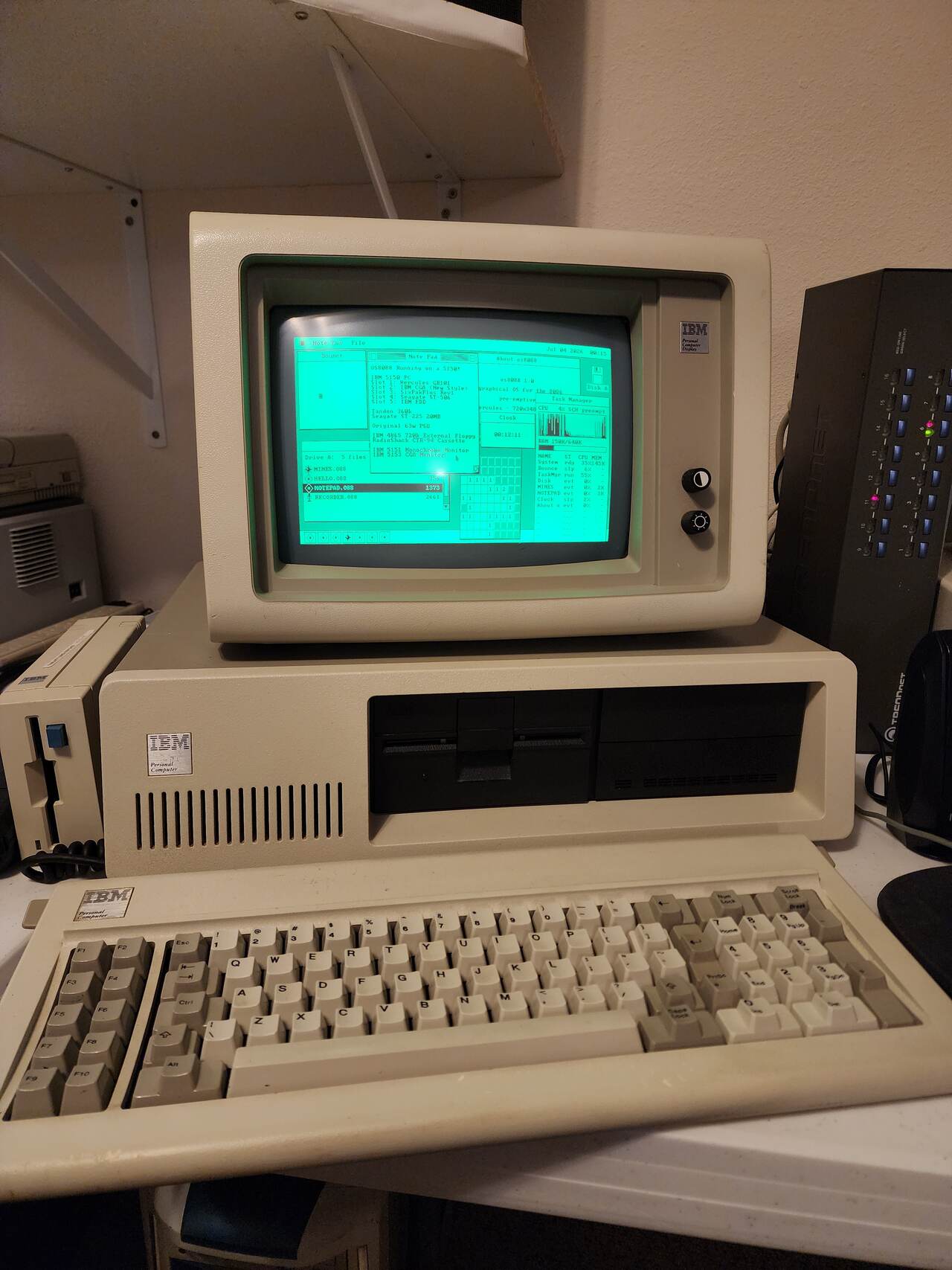
IBM 5150

The 1981 IBM Personal Computer, an 8088 at 4.77MHz. Booted from a 360K floppy in its Tandon drive, onto an IBM 5151 monochrome monitor through a Hercules GB101 card, at 720x348.
IBM 5150
An IBM 5150 Personal Computer with its Model F keyboard in front and an IBM 5151 monochrome monitor sitting on top of the case. The green phosphor screen shows the os8088 desktop: a menu bar, several overlapping windows and a dock along the bottom.
An IBM 5150 with a Model F keyboard and an IBM 5151 monitor, running os8088.
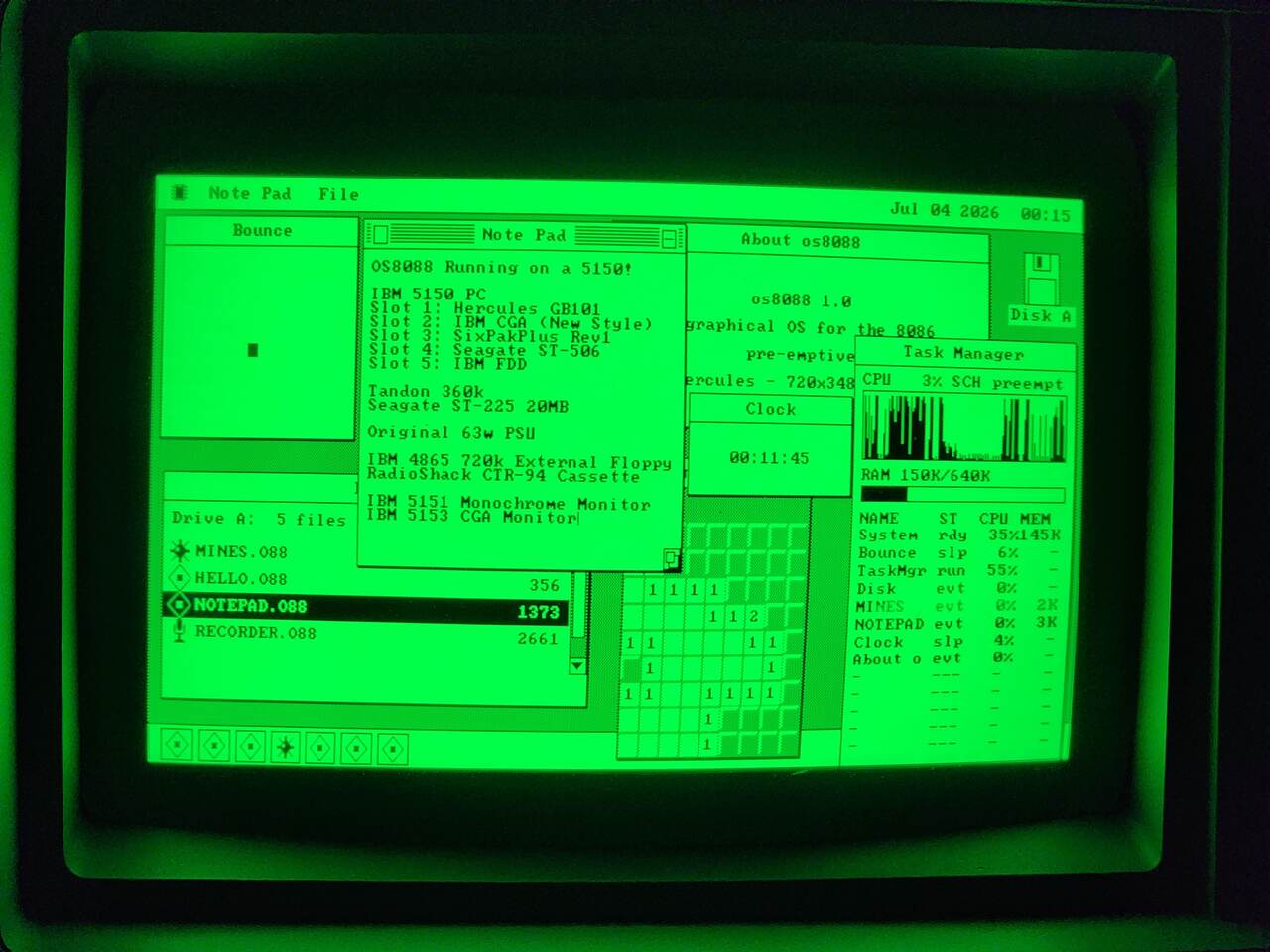
IBM 5150, screen
A green phosphor monitor filling the frame. The os8088 desktop carries a Bounce window, a Note Pad typed with the machine's card list, an About os8088 box reading Hercules 720x348, a Clock at 00:11:45, a Task Manager reading CPU 3% and RAM 150K of 640K, a Minesweeper board and a Disk window listing MINES.O88, HELLO.O88, NOTEPAD.O88 and RECORDER.O88.
The same screen, close up. The Note Pad lists the machine's cards, the About box reads Hercules - 720x348, and the Task Manager reads 3% with six programs open.
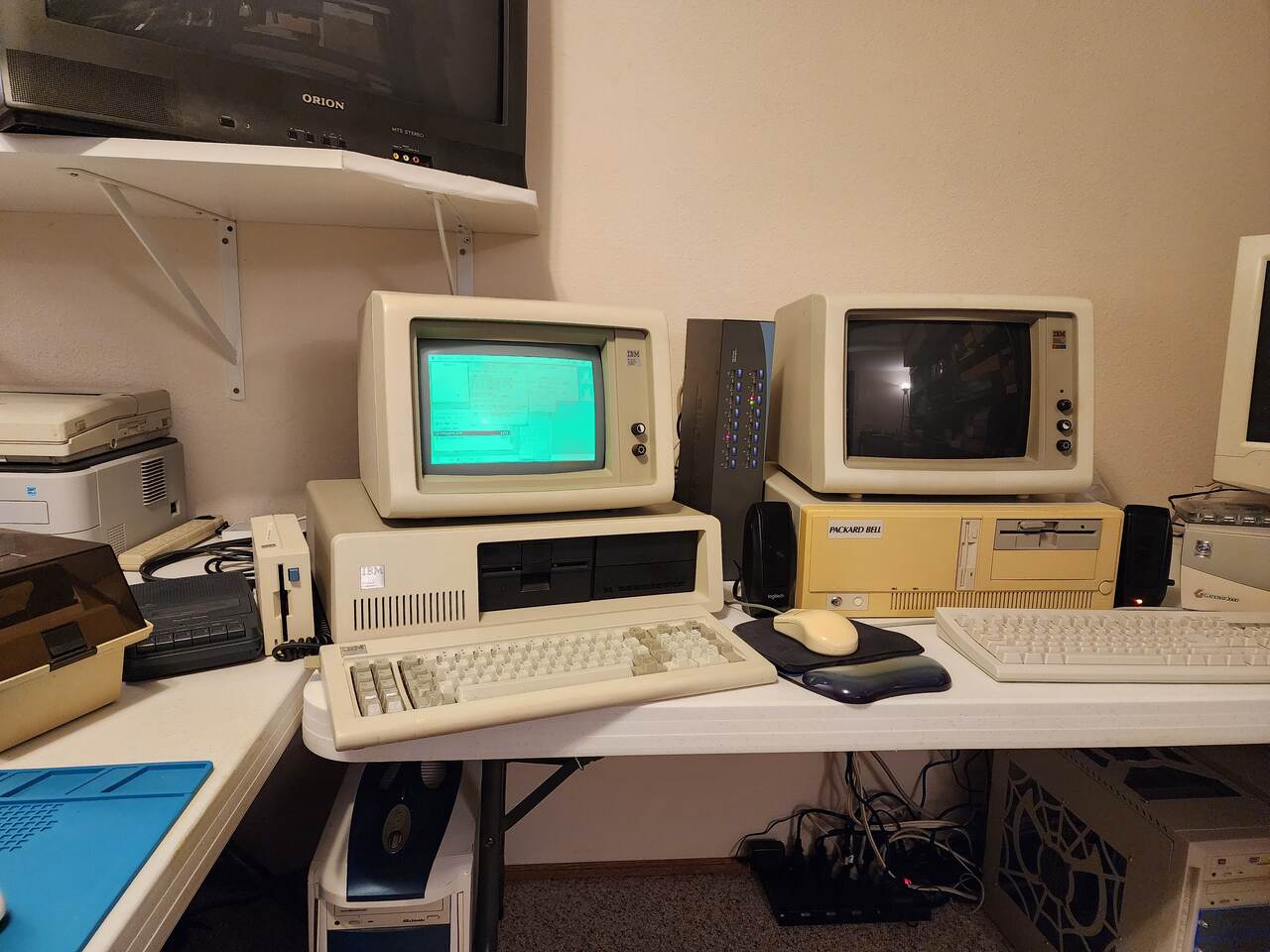
IBM 5150, on the bench
A desk holding an IBM 5150 with a lit green IBM 5151 monitor on top of it showing the os8088 desktop, and beside it a Packard Bell case with an IBM 5153 color monitor on top whose screen is completely dark. A cassette recorder, a printer and other machines fill the rest of the bench.
The same 5150 on the bench. It has a CGA card and an IBM 5153 as well; os8088 picked Hercules over CGA, so the 5153 is dark.

Toshiba T1100 Plus

A 1986 laptop with an 8086 at 7.16MHz and a blue LCD, running the CGA driver at 640x200. The 360K images were written onto 720K floppies to get them in.
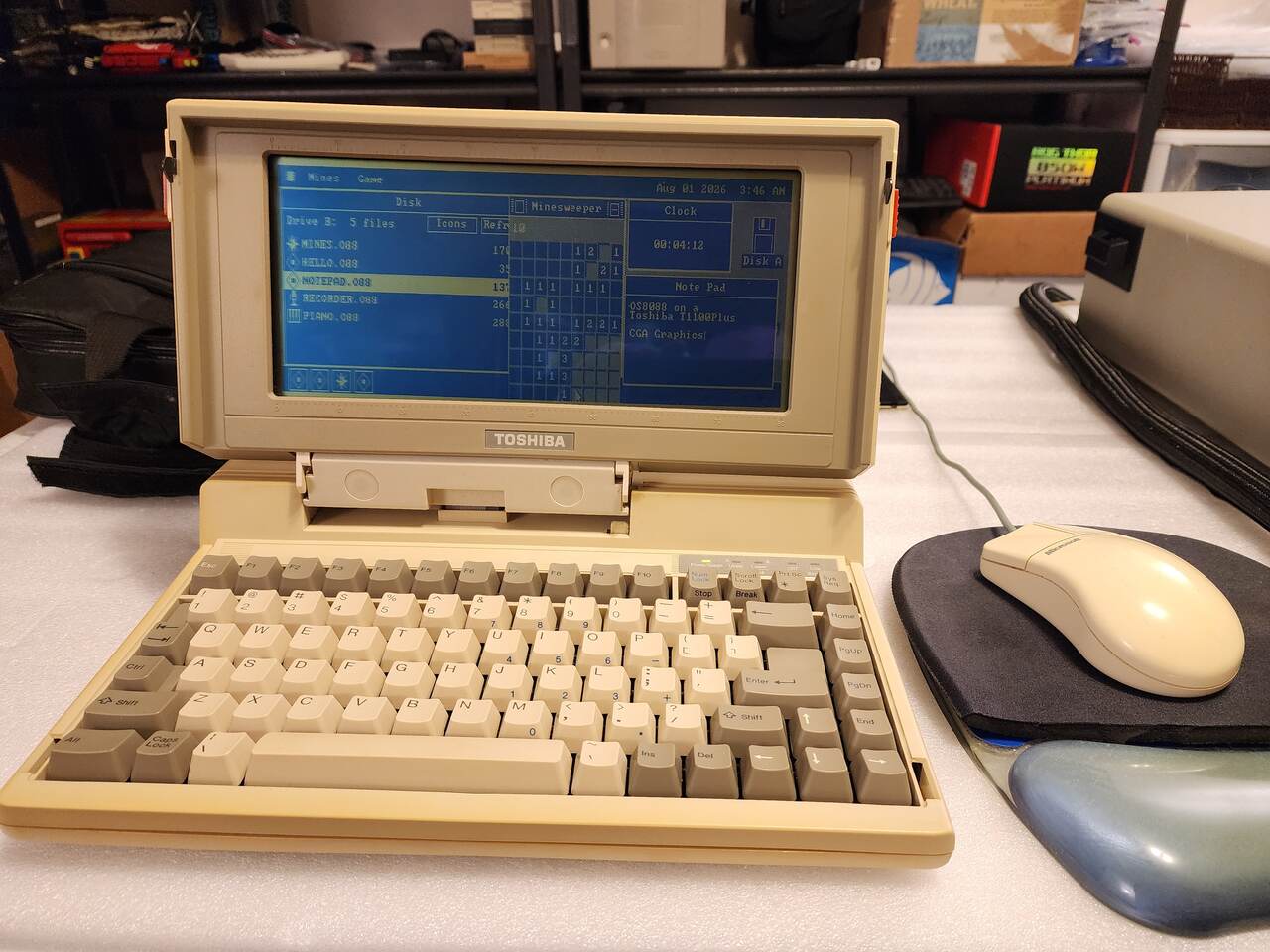
Toshiba T1100 Plus
An open Toshiba T1100 Plus laptop on a white bench with a beige Microsoft mouse beside it. Its wide blue LCD shows the os8088 desktop with a Disk window, a Minesweeper board, a Clock and a Note Pad.
A Toshiba T1100 Plus running os8088, with a Microsoft serial mouse on COM1.
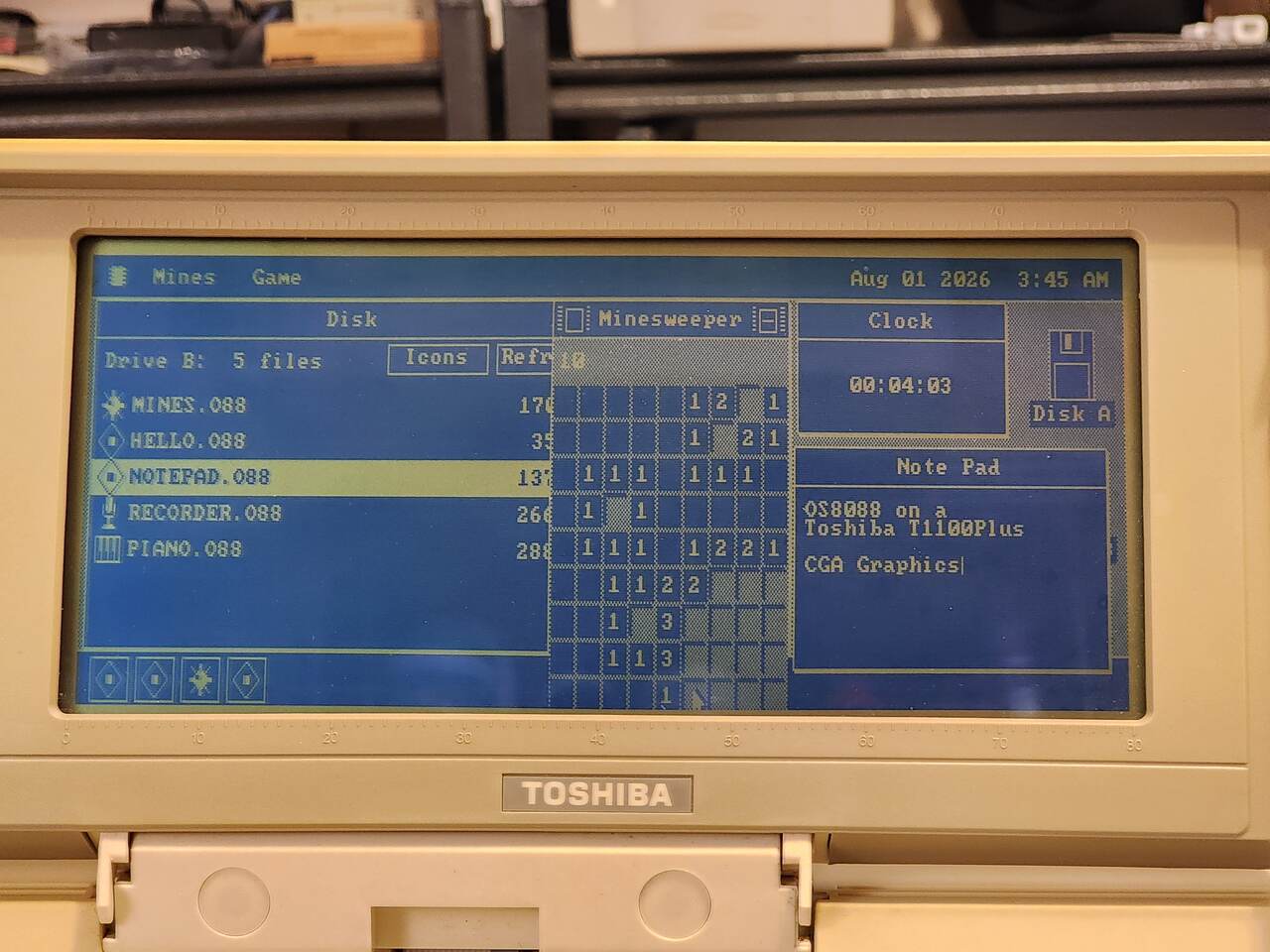
Toshiba T1100 Plus, screen
The Toshiba's blue LCD filling the frame. The menu bar reads Mines and Game on the left and Aug 01 2026 3:45 AM on the right. A Disk window lists MINES.O88, HELLO.O88, NOTEPAD.O88, RECORDER.O88 and PIANO.O88 with NOTEPAD highlighted; a Minesweeper board sits in the middle; a Clock reads 00:04:03; and a Note Pad reads OS8088 on a Toshiba T1100Plus, CGA Graphics.
The same screen, close up. CGA gives the desktop 640x200 instead of 640x480, so the windows keep their width and lose half their height.

In VGA

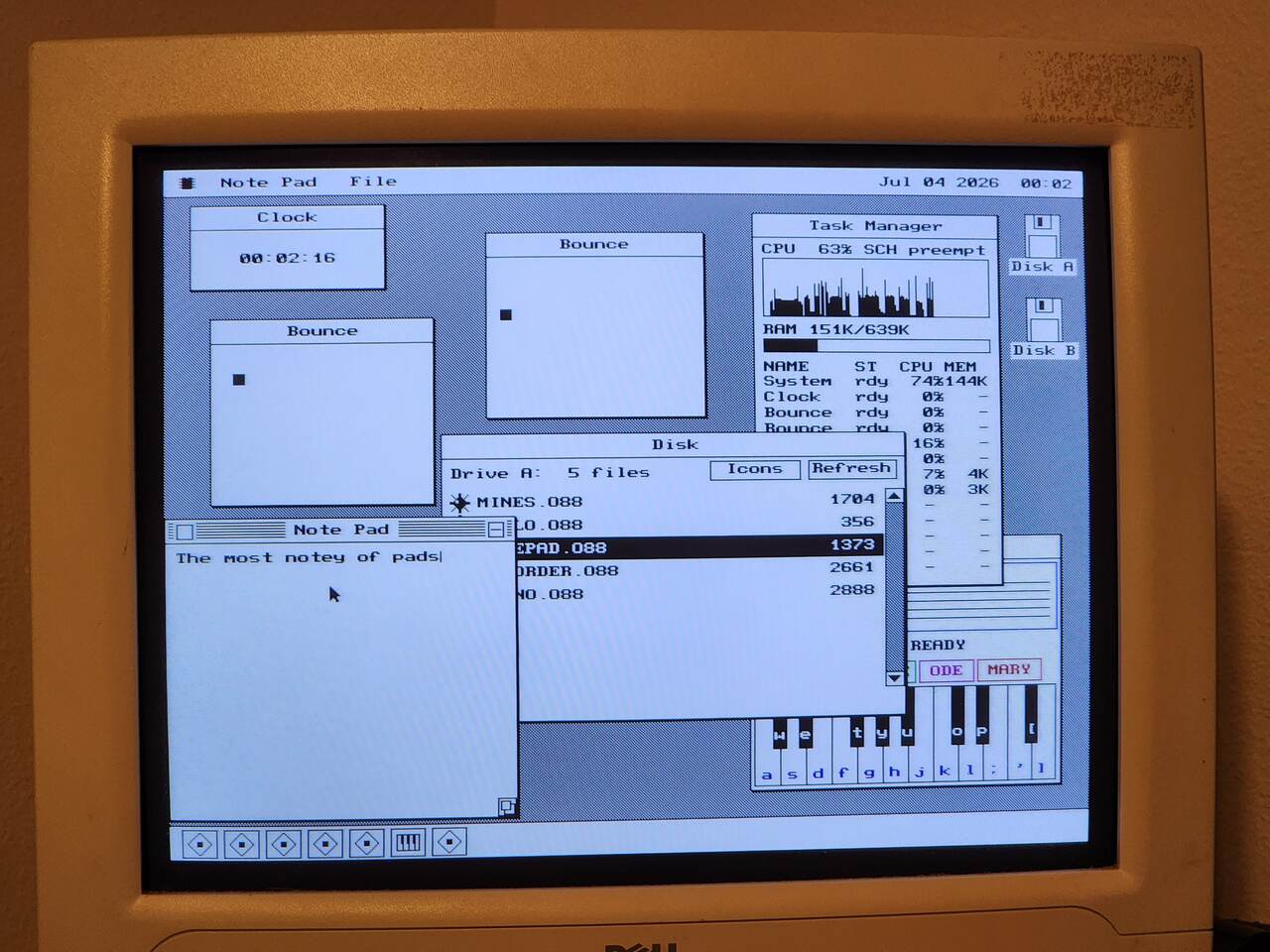
os8088 at 640x480 in mode 12h on a CRT -- the mode every other screenshot on this site is taken in.
VGA, 640x480
A CRT filling the frame, showing the os8088 desktop at 640x480. A Clock reads 00:02:16, two Bounce windows each hold a black square, a Task Manager reads CPU 63% and RAM 151K of 639K, a Disk window lists five files with NOTEPAD.O88 highlighted, a Note Pad reads The most notey of pads, and a Piano keyboard is partly hidden behind them. Seven tiles fill the dock.
The os8088 desktop at 640x480 on a CRT, with eight programs open: a Clock, two Bounces, the Task Manager, Disk, Note Pad, Piano and Recorder.
The bench
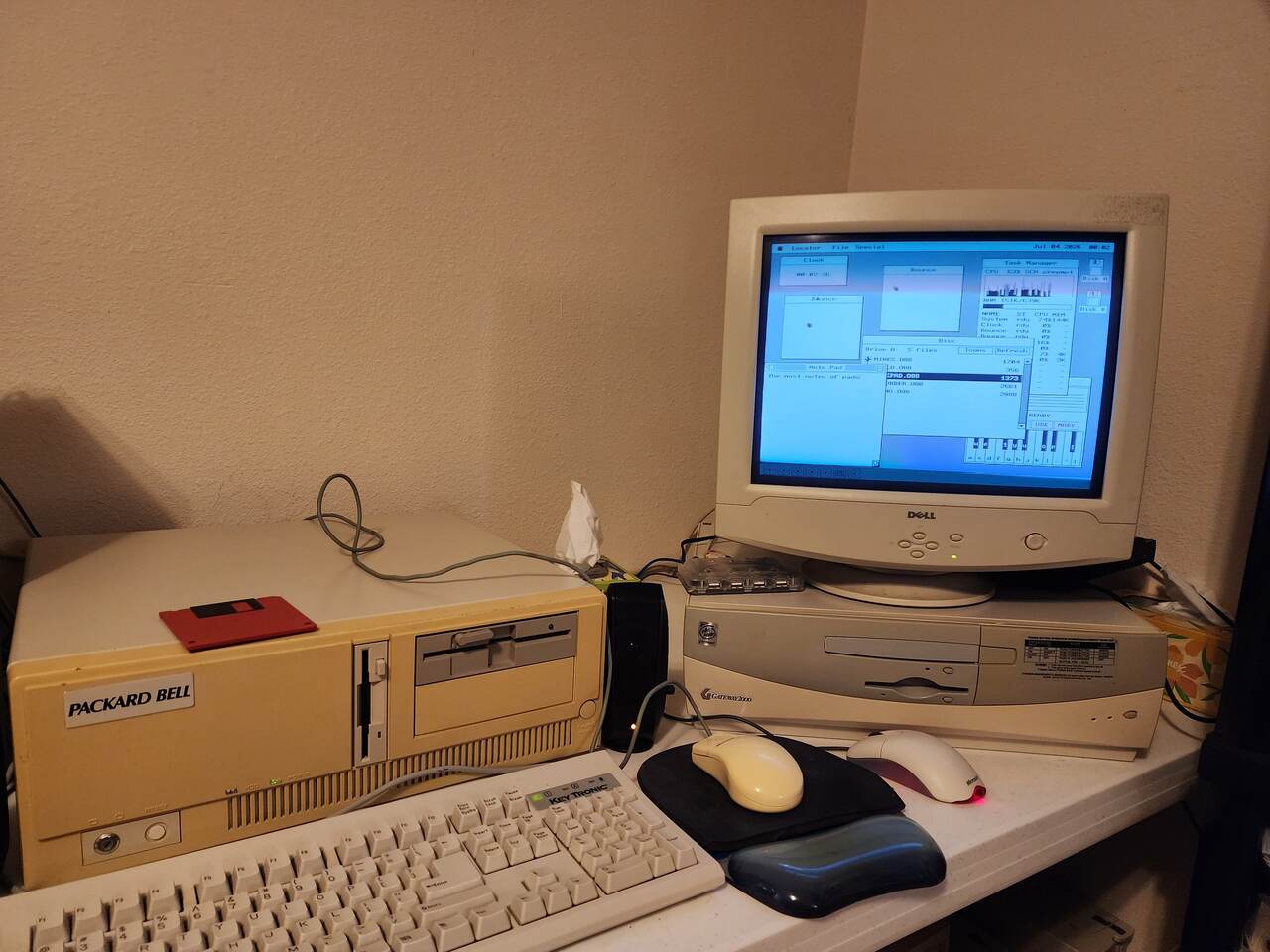
A corner of a desk with a beige Packard Bell desktop case and a Key Tronic keyboard on the left, and on the right a Gateway 2000 case with a Dell CRT on top of it displaying the os8088 desktop. Two mice and a mouse pad sit between them.
The same CRT on the bench it was photographed on.

Run it yourself

The download page has the 360K images that were written to floppies for these machines. You need an 8086 or 8088, 128K of RAM, one floppy drive, a VGA, Hercules or CGA card, and a Microsoft serial mouse on COM1 -- the mouse is not optional, because every menu is press-drag-release.